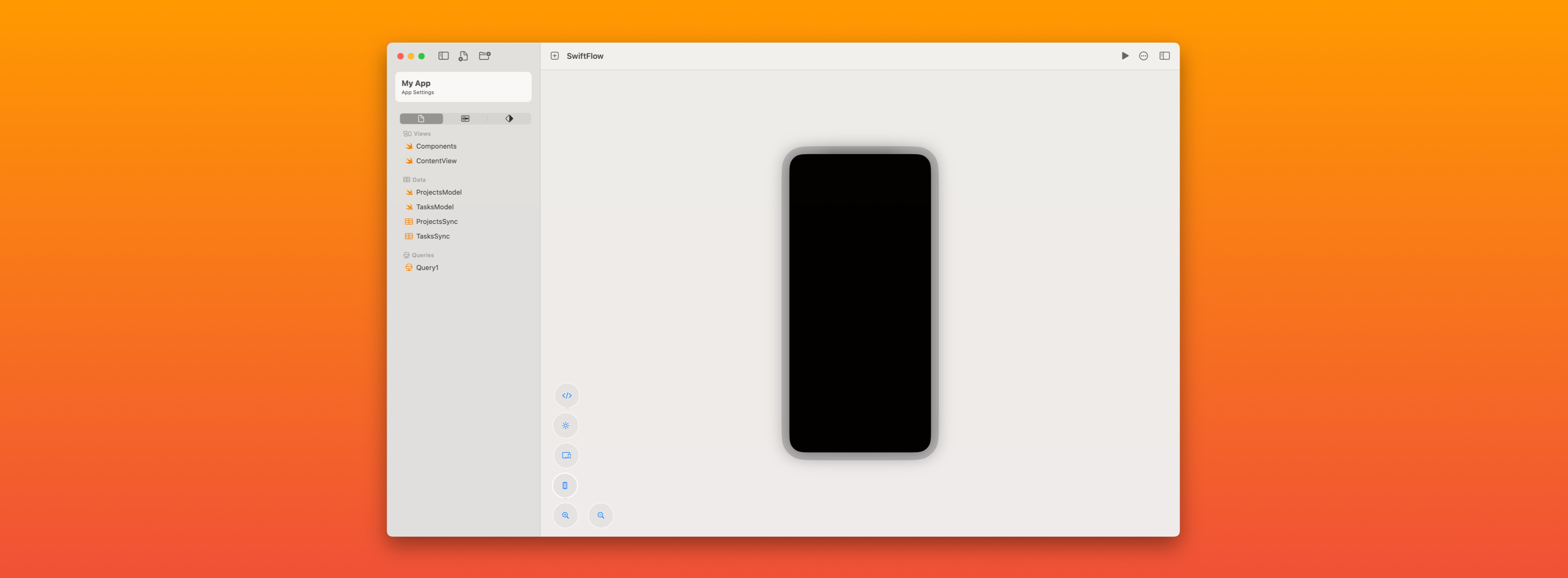
SwiftFlow: A no-code SwiftUI visual editor for the Apple ecosystem
Overview
SwiftFlow is a macOS-native, no-code visual editor for building apps across iOS, iPadOS, and macOS using SwiftUI. It enables designers, product builders, and developers to visually construct real SwiftUI interfaces, define app logic, and export production-ready code—without sacrificing performance, maintainability, or platform conventions.
Unlike traditional no-code tools that abstract away the platform entirely, SwiftFlow is built on top of SwiftUI, not around it. The result is a tool that feels native, respects Apple’s design systems, and produces code that developers actually want to work with.
The Problem
Building for Apple platforms comes with unique challenges:
- SwiftUI is powerful, but has a steep learning curve
- Visual design tools often stop at mockups and prototypes
- No-code platforms rarely generate idiomatic, maintainable SwiftUI
- Cross-platform tools frequently compromise on native behavior
- Designers and developers are forced into handoff-heavy workflows
Existing solutions either:
- Prioritize visual design but don’t ship real code
- Generate brittle abstractions that are hard to extend
- Or ignore Apple platform conventions altogether
There was no tool that truly bridged visual creation and real SwiftUI development—especially one that felt at home on macOS.
The Goal
SwiftFlow was designed around a simple but ambitious goal:
Make building native Apple apps as visual as design tools, while keeping the output as real and flexible as handwritten SwiftUI.
To achieve that, SwiftFlow needed to:
- Be fully native to macOS
- Generate clean, readable SwiftUI
- Support reuse, composition, and state
- Scale from prototypes to real products
- Feel intuitive to non-developers and empowering to engineers
The Solution
SwiftFlow is a visual editor that treats SwiftUI as the source of truth.
Users build apps by composing views visually, defining layout, modifiers, state, and interactions through a drag-and-drop interface. Behind the scenes, SwiftFlow maintains a structured representation of the SwiftUI view hierarchy and translates it directly into SwiftUI code.
This approach avoids the common pitfalls of no-code tools by embracing SwiftUI’s declarative model rather than hiding it.
Core Features
Visual SwiftUI Editor
Design SwiftUI views visually using a responsive canvas that mirrors real layout behavior across Apple platforms.
Drag-and-Drop Composition
Build interfaces by assembling components directly—no placeholder widgets or fake UI layers.
Custom & Reusable Components
Create reusable SwiftUI views that behave exactly like native components, enabling real design systems and scalable architectures.
Multi-Platform Targeting
Design once and adapt layouts for iOS, iPadOS, and macOS from a single project.
SwiftUI Code Export
Export clean, readable SwiftUI code that can be opened directly in Xcode and extended without lock-in.
Visual Logic & State
Define bindings, state, and interactions visually—mirroring SwiftUI’s data flow model without writing boilerplate.
No-Code Actions & Conditional Logic
Create navigation flows, interactions, and conditional UI behavior using visual logic blocks.
Developer Escape Hatches
Drop down into custom Swift when needed, allowing SwiftFlow to scale from no-code to low-code seamlessly.
Technical Architecture
SwiftFlow is built entirely with SwiftUI, using SwiftData for local persistence. Projects are stored as structured models that represent views, modifiers, and logic declaratively—allowing deterministic code generation and reliable previews.
Key architectural principles:
- SwiftUI-first mental model
- Declarative data structures
- Local-first persistence
- Exportable, platform-native output
- No runtime dependency on SwiftFlow
This ensures that SwiftFlow projects remain future-proof and fully owned by the user.
Why It Matters
SwiftFlow isn’t just a productivity tool—it’s a philosophical shift.
It challenges the idea that no-code tools must sacrifice quality, and that native development must be inaccessible. By meeting SwiftUI where it already excels, SwiftFlow creates a middle ground where:
- Designers can build real apps
- Developers can move faster
- Teams reduce handoff friction
- Prototypes become production code
The Outcome
SwiftFlow enables rapid prototyping, real app development, and iterative design—without abandoning Apple’s native ecosystem.
Whether you’re experimenting with an idea, building internal tools, or scaffolding a full production app, SwiftFlow accelerates development while preserving control and code quality.
What’s Next
SwiftFlow continues to evolve with:
- Expanded logic workflows
- More advanced layout and animation controls
- Collaboration and versioning features
- Deeper integration with Xcode and Apple tooling
The long-term vision is simple: Make SwiftUI the most approachable native UI framework—without diluting its power.
Ready to see what’s possible? Join the Early Access Program and start building native Apple apps visually—with SwiftFlow.
Tools Used
No tools specified for this project.